


AI Video Generator - Clips AI
4.42.16K Reviews
App Specs
- Version
- 3.1.4
- Updated On
- License
- Free
- Downloads
- 1,000,000+
- Developer
- Photo & Video Editors - Instant Solution
- Categories
- Art & Design
- Platform
- Android, iOS
Screenshots
 Analysis by AppCompare
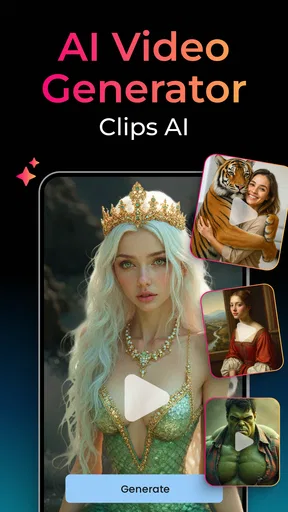
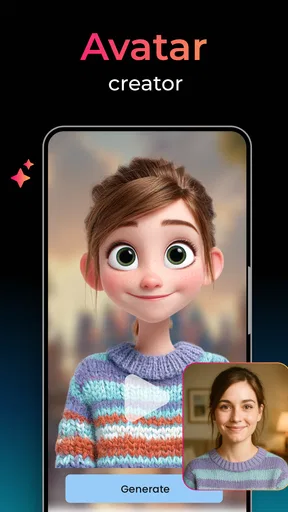
AI Video Generator - Clips AI is most useful when I want to turn an idea or a handful of images into a video without making editing the main event. Its appeal is speed and approachability: it aims to reduce the work between having material and having something presentable to share. That makes it a tempting option for casual creators, though I would not treat an AI-assisted result as a finished piece without checking it carefully.
A quick route from idea to video
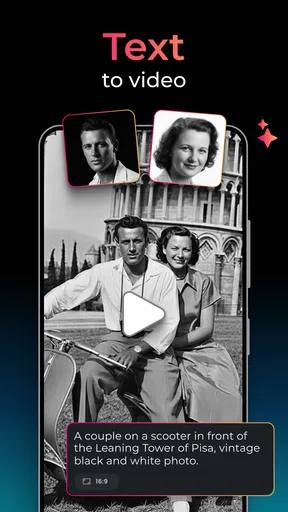
The app’s focus is generating videos from text and images, so it suits moments when you have a concept but not a set of edited clips. For example, I might have a few photos from a weekend outing and want a short visual recap, or need a simple clip to accompany a social post. Rather than opening a more involved desktop editor, I can start with the material already on my phone and see whether the app can shape it into something useful.
That workflow is especially appealing when the goal is a first draft, not a polished production. AI can help bridge the gap between a blank timeline and a video with a beginning, middle, and end. I still recommend treating the generated result as a proposal: watch it through, check that the visuals match the idea, and decide whether the pacing and emphasis feel right before sharing.
Where it fits among video tools
Compared with a conventional mobile editor, this kind of generator puts less emphasis on manually arranging every cut and more on getting a video started from prompts or images. That can be a real advantage if you find timelines intimidating or simply do not have time to build a sequence yourself. Traditional editors remain the better choice when precise timing, detailed sound work, or exact control over every shot matters.
It also occupies a different space from template-first social video apps. A template editor tends to give you a fixed structure and asks you to fit your footage into it; AI generation offers a more direct route from an idea to a visual draft. Neither approach is automatically better. Templates can be more predictable, while generated results may be more surprising and may need extra review to make sure the finished clip says what you intended.
Small decisions that improve the result
I would start with a focused prompt or a small, coherent group of images rather than asking for a video that covers several unrelated ideas. A clear subject gives the generator less room to drift. If I were making a quick clip about a café visit, for instance, I would keep the input centered on the place, food, and atmosphere instead of mixing in unrelated photos from the whole day.
Another useful habit is to decide where the video will be watched before creating it. A clip for a phone feed has different framing needs from one intended for a wider screen. Even when an app offers convenient output options, I would check that important text and faces remain visible in the final composition. A preview that looks fine on the editing screen can feel cramped once it is viewed in a different format.
Worth Reading Before You Choose

EA SPORTS FC Mobile 26 Is a Bigger Football Game, but It Takes Time

Flipboard Shows What News Apps Must Do Beyond the Feed

Switching to Android Auto Means Rethinking Your Driving Routine

Google Calendar Makes a Crowded Week Easier to Manage

Ludo King Makes the Most of the Minutes Between Plans

Baby Panda World Brings Quick Play to Modern Phones, but Its Game Library Feels Busy
There is also a practical trade-off between speed and authorship. Letting AI make more of the creative decisions can save time, but it may also make the result feel less personal. I would use the generated version as a starting point, then make a few deliberate choices—such as changing the wording, replacing an image that feels out of place, or adjusting the order—so the video reflects the person or project behind it.
Who should try it—and who may prefer something else
This app is a sensible fit for people who want an accessible way to explore AI video creation, especially social media users, small-business owners making occasional visual posts, and anyone who wants to turn still images into a short clip without learning a full editing workflow. It can also help when inspiration is low: starting with a generated draft is often easier than staring at an empty project.
I would steer away from relying on it for work that demands exact continuity, brand consistency, or frame-by-frame control. A creator producing a carefully scripted campaign, a tutorial where every detail must be legible, or a video that needs precise timing may be happier in a traditional editor. AI-generated video is also a poor substitute for reviewing the content yourself; a convenient creation process does not guarantee that every visual choice will be appropriate.
For a realistic everyday use, imagine needing a quick recap of a family celebration before the day is over. You could gather a few relevant images, describe the tone you want, generate a draft, and review it on your phone before sending it to relatives. The key step is that review: remove anything that misrepresents the moment, make sure the sequence feels natural, and avoid sharing a result just because it appeared quickly.
AI Video Generator - Clips AI is a free app in the art and design space from Photo & Video Editors - Instant Solution. It has a 4.4 average from around 182,000 ratings and more than a million installs, which suggests plenty of people have tried it. It is rated for everyone, while optional in-app purchases range from $0.99 to $699.99 per item, so I would check the purchase details in the app before committing to anything paid.
The app was released on April 19, 2024, and its current version is 3.1.2. Those details matter less than whether its particular generation workflow suits your needs, but they are useful context when deciding whether to install it. I would also make sure my device meets its minimum operating system requirement of version 9 or later.
Have you ever wished you could create stunning videos without needing a degree in film editing? Well, that's where AI Video Generator - Clips AI comes into play. I recently got my hands on this app, and let me tell you, it’s like having a mini film studio right on your phone. Whether you're a social media enthusiast or a budding content creator, this app can become your new best friend.
Getting Started with Clips AI
Jumping into AI Video Generator - Clips AI is surprisingly easy. The interface is clean and intuitive, which is a huge relief for those of us who break out in a cold sweat at the sight of complicated software. As soon as you launch the app, you're greeted by a simple dashboard that guides you through the video creation process. You don’t need to be a tech wizard to navigate through it. Just a few taps, and you’re on your way to crafting your next video masterpiece.
The Magic of AI Features
Now, what really sets this app apart is its AI-driven features. The app uses artificial intelligence to automatically edit your clips, add transitions, and even suggest music tracks that fit the vibe of your video. It's like having a little editor in your pocket. The AI analyzes your footage and makes smart edits to keep your content engaging. If you’re in a rush to get something out, this is a total lifesaver.
But hey, don’t worry if you’re a control freak like me. You still have the option to tweak and adjust everything manually. The AI does a great job, but sometimes you just want that personal touch, right?
Customization Galore
One of my favorite things about Clips AI is the customization options. You’ve got a plethora of filters, effects, and text overlays to choose from. Want to make your video look like a vintage film? Done. Need some poppy text animations to grab attention? Easy peasy. The app gives you the flexibility to make your videos truly yours.
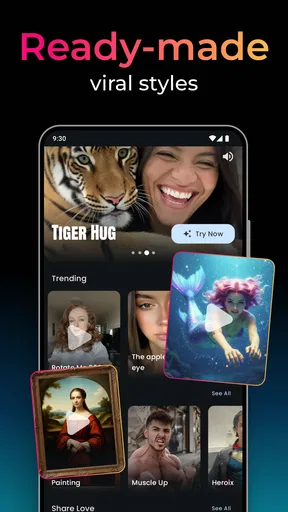
And let’s talk about templates. If you’re feeling uninspired, the app offers a range of pre-made templates that you can use as a starting point. These templates are categorized by themes, like travel, lifestyle, or even business, making it easier for you to pick something that aligns with your content goals.
Sharing is Caring
Once you've crafted your video, sharing it is a breeze. The app integrates seamlessly with social media platforms like Instagram, TikTok, and YouTube. You can directly upload your content without having to deal with the hassle of exporting and then manually uploading it elsewhere. It’s efficient and saves you a ton of time.
Plus, the app provides options for different aspect ratios, so your video looks perfect, no matter where you’re posting it. Whether it’s a vertical clip for Instagram Reels or a widescreen video for YouTube, Clips AI has you covered.
Is Clips AI Worth It?
So, is AI Video Generator - Clips AI worth your time? In my opinion, absolutely! It’s a powerful tool that simplifies video editing, making it accessible to everyone from newbies to seasoned creators. The AI-driven features are impressive, and the customization options are robust enough to cater to various creative needs.
Sure, no app is perfect, and there's always room for improvement, but Clips AI is constantly updating and adding new features. It’s clear the developers are committed to making this one of the best video editing apps out there.
If you’re ready to up your video game without investing in expensive software or spending hours on tutorials, give Clips AI a shot. Trust me, you won’t regret it!
My final recommendation
I would try it if I wanted a quick, phone-based way to experiment with turning text or images into a video, or if I regularly needed a starting point for casual social content. I would not choose it as my only tool for projects where every cut, sound cue, and visual detail has to be exact. The useful question is not whether AI can make a video quickly, but whether the result needs the extra care that a hands-on editor provides.
For me, the strongest reason to give it a chance is the low barrier to trying a different kind of creation workflow. The biggest caution is to keep control of the final result: check the generated visuals, make sure the message comes across clearly, and review any paid options before purchasing. If that balance sounds right for the videos you make, Clips AI is worth exploring; if you need precision above all else, a conventional editor is the safer pick.
Pros
- Easy-to-use interface for beginners.
- High-quality video output with minimal effort.
- Wide range of templates available.
- Quick rendering of video projects.
- Regular updates with new features.
Cons
- Limited free version features.
- Occasional bugs during editing.
- Requires internet for most functions.
- Subscription can be pricey.
- Limited customization for advanced users.
FAQs for AI Video Generator - Clips AI
What platforms does AI Video Generator - Clips AI support?
AI Video Generator - Clips AI is available for both Android and iOS devices. Users can download it from the Google Play Store or the Apple App Store, ensuring compatibility with most smartphones and tablets. The app is designed to work smoothly across different operating systems, providing a seamless experience for all users.
Can I use AI Video Generator - Clips AI for free?
AI Video Generator - Clips AI offers a free version with basic features, allowing users to create and edit videos with AI tools. However, for access to premium features, such as advanced editing tools and additional content libraries, users may need to purchase a subscription or make in-app purchases, depending on their needs.
Does AI Video Generator - Clips AI require an internet connection to function?
While some features of AI Video Generator - Clips AI can be used offline, an internet connection is required for full functionality. This includes accessing cloud-based AI tools, downloading content, and sharing videos directly from the app. A stable connection ensures the best user experience and access to all features.
What are the key features of AI Video Generator - Clips AI?
AI Video Generator - Clips AI provides a variety of features, including AI-driven video editing, auto-generated clips, and a library of templates and effects. Users can quickly create professional-quality videos with minimal effort, thanks to intuitive tools that automate complex editing tasks. The app also supports direct sharing to social media platforms.
Is AI Video Generator - Clips AI suitable for beginners?
Yes, AI Video Generator - Clips AI is designed with user-friendliness in mind, making it suitable for beginners. The interface is intuitive, with guided tutorials and easy-to-use features that allow users with no prior editing experience to create visually appealing videos. The AI-driven tools simplify the editing process, making it accessible to everyone.


